What it looks like
The same page on an iPhone 17 (402px wide), with the problem and then the fix.
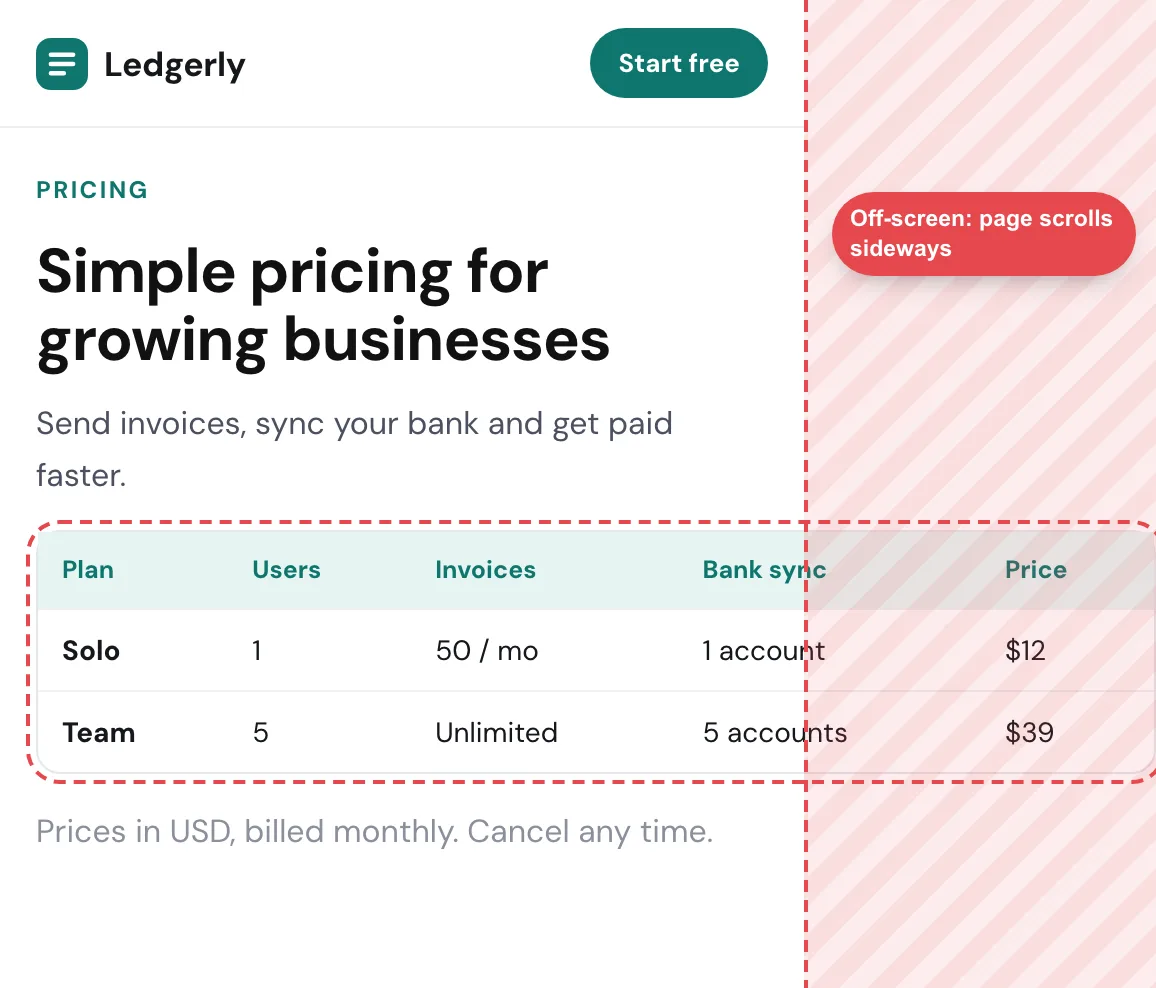

01
Find what is too wide
Open the store at 360px wide in your browser’s device mode and paste this in the console. It outlines and lists every element that reaches past the right edge.
document.querySelectorAll('body *').forEach((el) => { if (el.getBoundingClientRect().right > document.documentElement.clientWidth + 1) { el.style.outline = '2px solid red'; console.log(el); }});02
The usual causes on Shopify
- App blocks and embeds (reviews, upsells, size charts, chat) with a fixed width: check the app’s settings for a full-width or responsive option, or contact the app
- Custom Liquid or Custom HTML sections with fixed widths or tables: wrap tables so they scroll on their own
- Videos and iframes pasted into a page or product description at their natural size
- Long product titles, SKUs or URLs that can’t wrap
- Marquee or announcement bars and sliders built wider than the screen
03
Fix it in the theme CSS
In Online Store → Themes → Edit code, add these rules to the theme’s main stylesheet (often base.css or theme.css), or in Customize → Theme settings → Custom CSS on Online Store 2.0 themes. Duplicate the theme first so you can roll back.
img, video, iframe { max-width: 100%; height: auto; }.rte table { display: block; overflow-x: auto; }.product__title, .card__heading { overflow-wrap: anywhere; }Tip: Duplicate the theme before you edit its code, so you can switch back in one click if something goes wrong.
05
Check product, collection and cart pages too
App blocks often show only on product pages, so a home page that fits says little. Check a product, a collection, the cart and a blog post at phone and tablet widths.
Checklist
Questions
Why does my Shopify store scroll sideways on mobile?
An element is wider than the phone screen: usually an app block, a custom section, an embedded video or table, or a long word that can’t wrap.
Where do I add CSS in Shopify?
In Online Store → Themes → Customize → Theme settings → Custom CSS, or in Edit code in the theme’s main stylesheet. Duplicate the theme before editing code.
How do I find the element causing horizontal scroll on Shopify?
Outline every element wider than the screen with the console snippet above, or run a responsive check that names the element and the width where it happens.